


Right now, a lot of organizations are making a significant investment in knowledge. But why isn't it actually making a difference in training & operations?
Compliance is flagging mistakes.
Chatbot performance is underwhelming.
Leaders are looking at their documentation and deciding the problem is quality.
So they do the logical thing: they improve it. They rewrite the articles. They make them more accurate. More thorough. They feed better content to the AI.
And this works for the simple answers or the straightforward tasks.
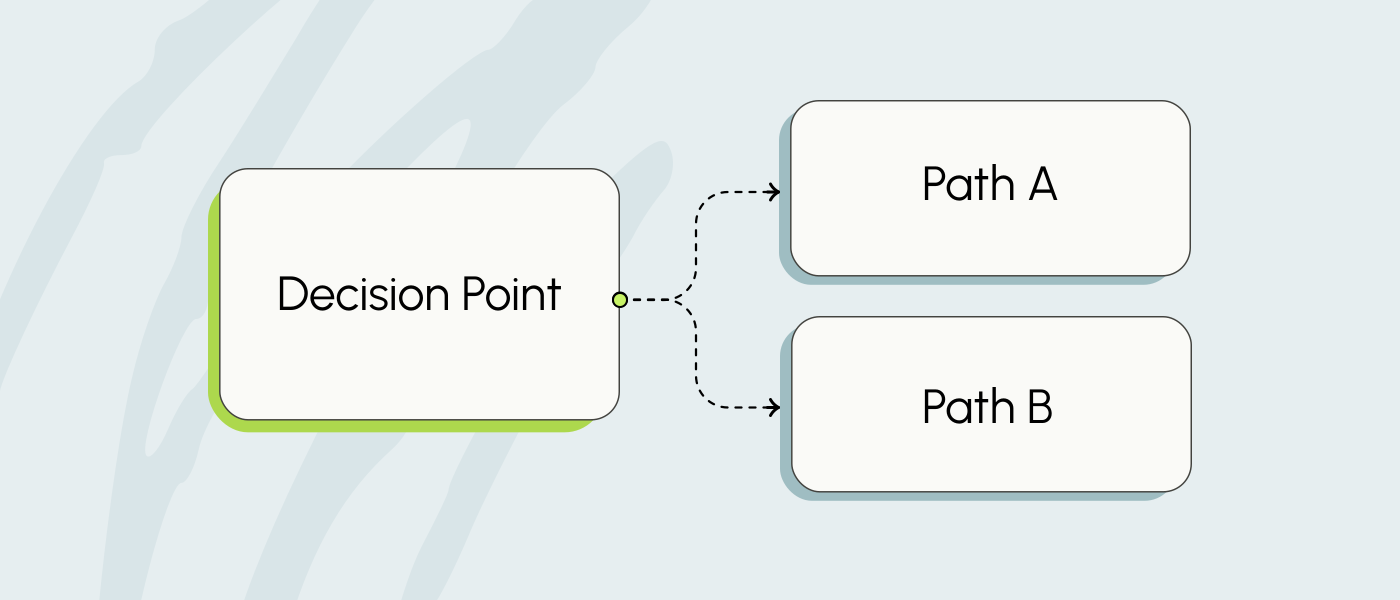
But work isn’t simple, and procedures rarely follow a clear, straightforward path. There are variables to account for, decisions to be made, and exceptions to be addressed.
So the mistakes and the escalations keep happening despite their best efforts.
Here's what traditional SOP articles are missing:
The problem was never the quality of the knowledge. It was the format.
You can have the most accurate, up-to-date, thoroughly reviewed knowledge article in your industry. If an employee can't apply it in the moment they need it, the quality of the article doesn't matter. Not when a customer is waiting. Not when a compliance clock is ticking.
Better knowledge in the wrong format is still the wrong tool.
The Two Failure Modes
When a process is truly complex, organizations tend to fall into one of two traps.
The first trap: nothing gets written down.
Someone tried to document it once, ran into all the "but what ifs," and gave up. Now the procedure lives entirely in one person's head. That person becomes the bottleneck. Every question runs through them. Every edge case requires their approval. The organization is one resignation away from a serious problem.
The second trap: it gets documented in an article (Word file or knowledge base article).
A very long article. One that passes an audit but nobody actually uses. Because when you're interacting with a customer who is waiting for an answer, reading through a 40-page document isn't an option. So employees do what they always do in that moment...
They go ask Susan.
Both traps lead to the same place: tribal knowledge. And tribal knowledge is slow, inconsistent, and fragile.
What Most Organizations Try Instead
When escalations and errors pile up, the default response is more training. Lunch and learns. Shadowing. Recorded calls. Some organizations are now feeding those recordings to AI tools, hoping the machine will extract expert behavior and distribute it across the team.
Here's the problem with "more training":
Your best performers aren't actually doing it the most efficient way.
I've watched this play out with Jonathan, who has spent years building out these systems with our clients. He'd sit in on calls from the team's top performers, the ones everyone was told to learn from, and halfway through the call, the expert would say, "Oh, wait, let me go back." Or they'd finish the call and realize they'd missed a key piece of information.
Even experts forget steps. They backtrack. They do post-call rework.
Recording their process and calling it a training strategy doesn't give you the right process. It gives you someone's best guess on a good day.
Decision Trees: A Different Tool for a Different Problem
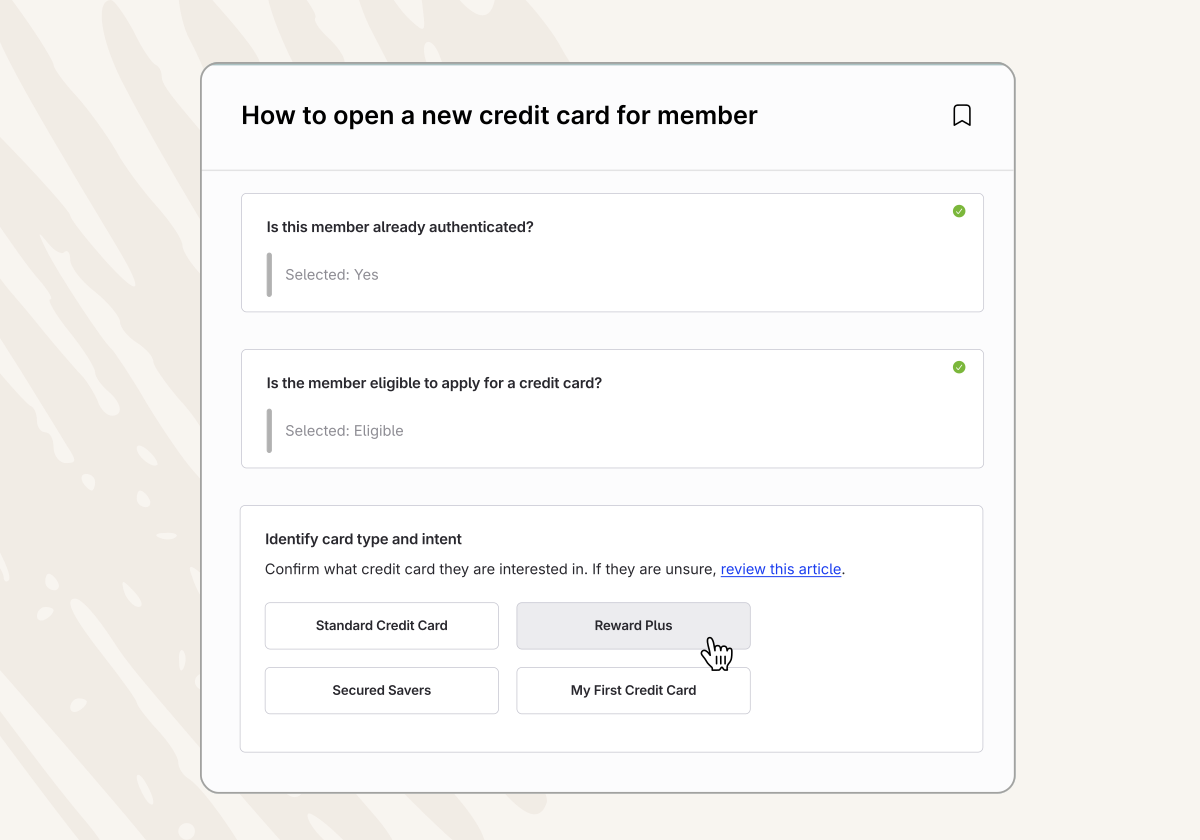
A decision tree doesn't record how someone handles a complex situation.
It designs how it should be handled.
Instead of asking, "How does our best person do this?" you ask, "What is the right way to do this, every time, for every variable?" You map the branches. You identify the decision points. You build the path.
And then anyone, day one or year ten, can follow it.
We tested this on ourselves first. We were getting a flood of support tickets from customers trying to set up single sign-on. We had documentation. Long articles, lots of links. It wasn't working.
So we built a decision tree. One article. You click whether you're setting up Google, Salesforce, or Active Directory, and it walks you down exactly the right path for your situation.
The tickets stopped.
We've seen the same outcome across financial institutions, credit unions, call centers, and municipal governments.
One municipality on the West Coast took the time to build decision trees for a complex call center operation. When they launched, escalations vanished. Handle times dropped. A team that used to escalate nearly every call was resolving them independently.
A credit union launched decision trees, and suddenly, new loan officers were originating loans on their own within a week or two.
What Building a Decision Tree Actually Does
Here's what surprises most organizations when they go through the process.
They discover they never actually decided what their procedure was.
Help articles and Word documents let you be vague. You can say "handle it appropriately" or skip the edge case you haven't quite figured out yet. A decision tree won't let you do that. Every branch requires a decision. Every variable has to be accounted for. You can't hide an undefined process inside a decision tree the way you can inside a paragraph.
The act of building it forces clarity you didn't know you were missing.
And once you have that clarity, something else happens. Everyone starts doing it the same way. And once they're doing it the same way, you can actually improve it. You have a baseline now. Optimization is impossible when everyone's improvising. It's straightforward when everyone's following the same path.
When to Build A Decision Tree
Not every procedure needs a decision tree. Save them for situations where:
- A mistake would be costly: compliance errors, regulatory risk, customer-facing failures
- The process has real variables that determine what you do next
- People are struggling, escalating, or getting inconsistent results
If any of those are true, you're not dealing with a training problem. You're dealing with a documentation format problem.
The right tool makes the difference. I remember struggling to hang a coat rack on our wall. I had an electric drill and spent way too long on it. Screws wouldn't sit right. Nothing was going in clean. Then a friend showed up with an impact driver, and we were done in 30 seconds.
Same job. Same screws. Different tool.
Decision trees are that tool.
And most organizations don't even know they're missing it.
Decision Tree Example
Below is an example of a decision tree built in ScreenSteps to help a credit union employee send a statement to a member.
See how it guides employees through different paths depending on the member's preference.
Click on a decicion branch to see how it works!
A Conversation on Decision Trees
Jonathan and I recently unpacked why complex processes fail even when your best people are handling them — and why the most common fixes (more training, better Word docs, AI chatbots, flowcharts) fall short.
Watch our conversation here:
Common questions we hear
Why aren’t employees using our SOPs?
Because most SOPs are written as long, linear documents. They assume the process flows in a straight line. But real work doesn’t.
When a procedure has variables, employees have to decide what applies. Under pressure, decisions turns into guessing. Or escalating. Or skipping steps.
The issue usually isn’t motivation. It’s format. If the document requires interpretation, inconsistency is inevitable.
Why do escalations keep happening even after training?
Training builds understanding. It does not guarantee consistent execution.
In complex environments, the next step depends on what just happened. Even experienced employees forget branches. They backtrack. They miss edge cases.
When the path isn’t clearly mapped, escalation becomes the safety net. That’s not a training failure. It’s a process design problem.
How do you document a process with lots of “it depends” scenarios?
You stop writing paragraphs.
Every “it depends” is a decision point. Every decision point creates a branch. And every branch requires a defined action. When you map those branches intentionally, you force clarity. You can’t hide undefined steps inside a decision tree. You have to decide what should happen.
That discipline is what turns complexity into something repeatable.
What’s the difference between more training and better process design?
More training assumes the employee needs to try harder or remember more.
Better process design assumes the system should make the right action obvious.
When the process is structured clearly enough to follow step by step, regardless of tenure, performance stabilizes. Optimization becomes possible. And tribal knowledge stops being the fallback.