
.png "Jonathan DeVore")
You've built a great knowledge base. It's got easy-to-follow procedures, it's optimized for search, and everything is in one place.
... but when your employees get stuck in the middle of a workflow, they don't want to leave where they're working to go find your procedures.
Instead, employees default back to tribal knowledge and shoulder taps. All that hard work on your knowledge base just for your procedures to go unused.
That's the problem that the ScreenSteps Sidekick browser extension solves.
Deliver answers wherever work happens
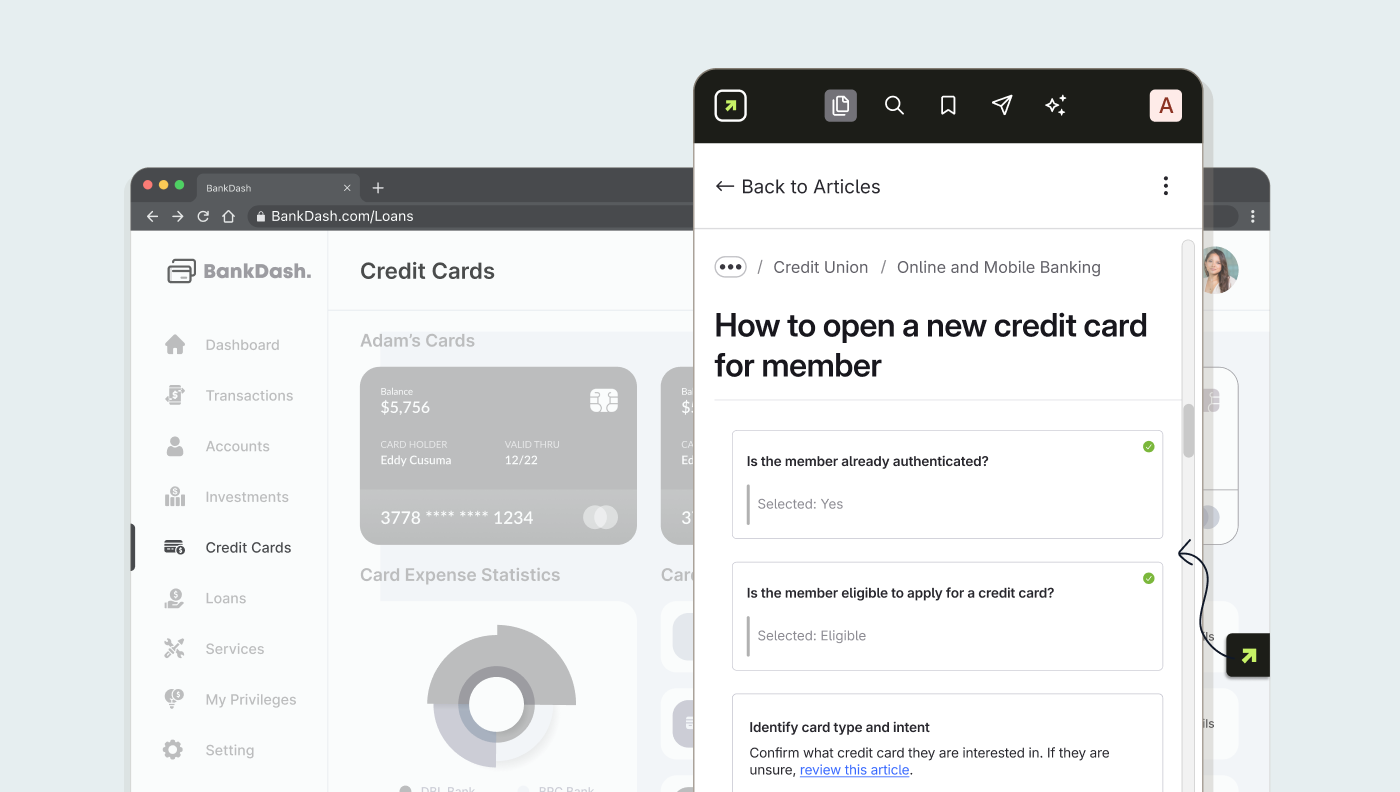
ScreenSteps Sidekick a browser extension, which means it works inside any web application.
As employees perform tasks inside the applications they already use, they can just open Sidekick to get instant answers.
Smart Suggestions (Contextual Help)
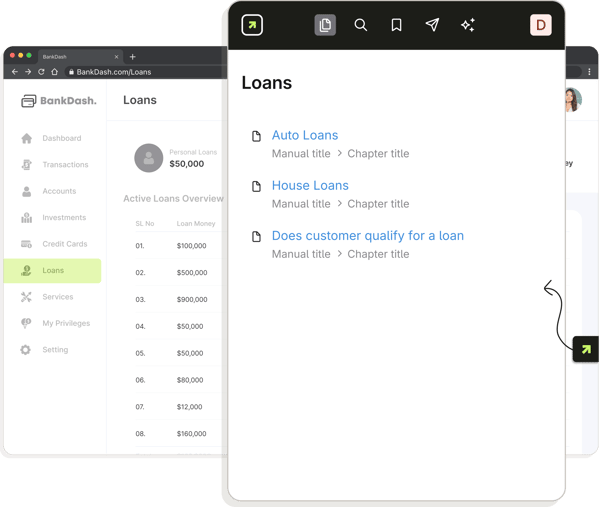
ScreenSteps Sidekick can automatically recommend help articles based on what application or page an employee is working on.
For example, if an employee was on the Contacts tab in Salesforce, Sidekick would recommend guides that an employee might need to perform actions dealing with contacts.
Knowledge base search
Employees can search your entire knowledge base directly from Sidekick, just like they would on the main knowledge base.
Ask ScreenSteps (AI Chat)
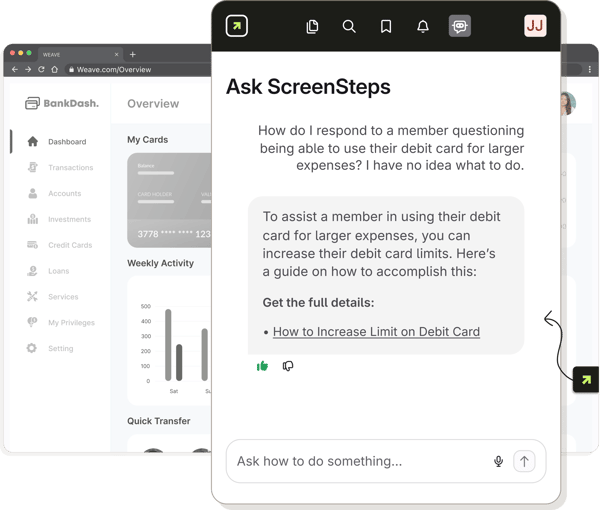
For a more natural conversational approach, employees can chat with the Ask ScreenSteps chatbot. The chatbot will only search your knowledge base for answers. If an answer doesn't exist, the chat will tell you that and recommend that the user suggest an article. No hallucinations, ever!
For easy answers, Ask ScreenSteps will just provide the information a user needs.
For more complex procedures (i.e. Decision Trees), it will push users to the full guide.
Create SOPs without typing a single word inside ScreenSteps Sidekick
The ScreenSteps Sidekick browser extension also makes it fast and easy to create new SOPs.
Just record your screen as you talk through a procedure. Sidekick will capture the critical steps and instructions and generate easy-to-follow guides in minutes... no typing required!
Learn more here: How to Create a Step-by-Step Procedure With Screenshots in Minutes