
.png "Jonathan DeVore")
Creating clear, easy-to-follow procedures used to take hours. You had to type out the instructions, take screenshots, format the SOP, export it as a PDF, save it on a drive somewhere, and then hope someone can actually find it when they need help (and let's be honest... they never can...).
ScreenSteps Sidekick changes that workflow forever.
Create SOPs in minutes with ScreenSteps Sidekick
ScreenSteps Sidekick lets you create perfectly formatted SOPs just by recording your screen and voice as you perform tasks in your existing workflows.
Here's how it works:
Simply navigate to the web application you're documenting. It could be a core system, CRM, loan origination system, or any other browser-based tool.
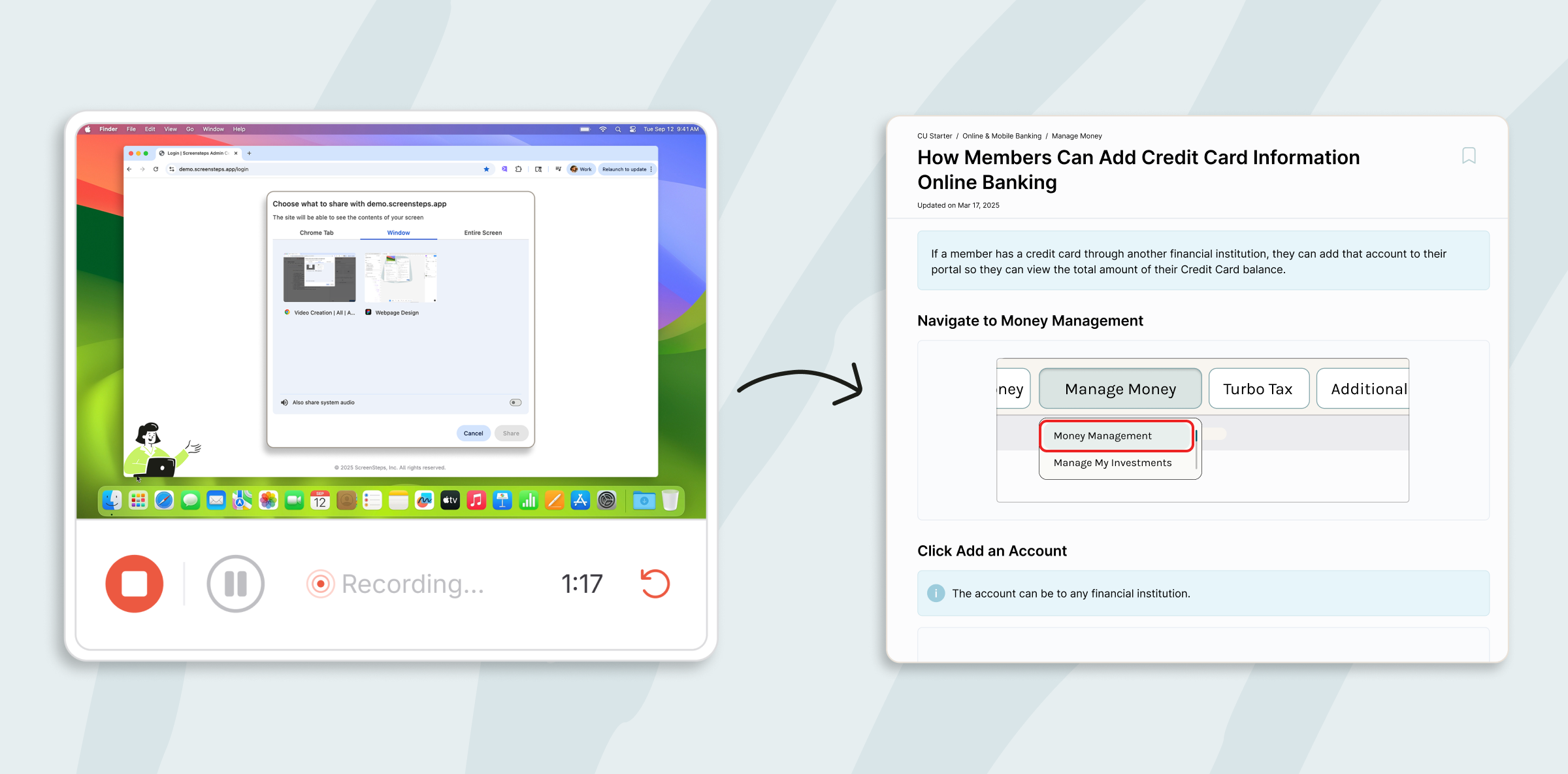
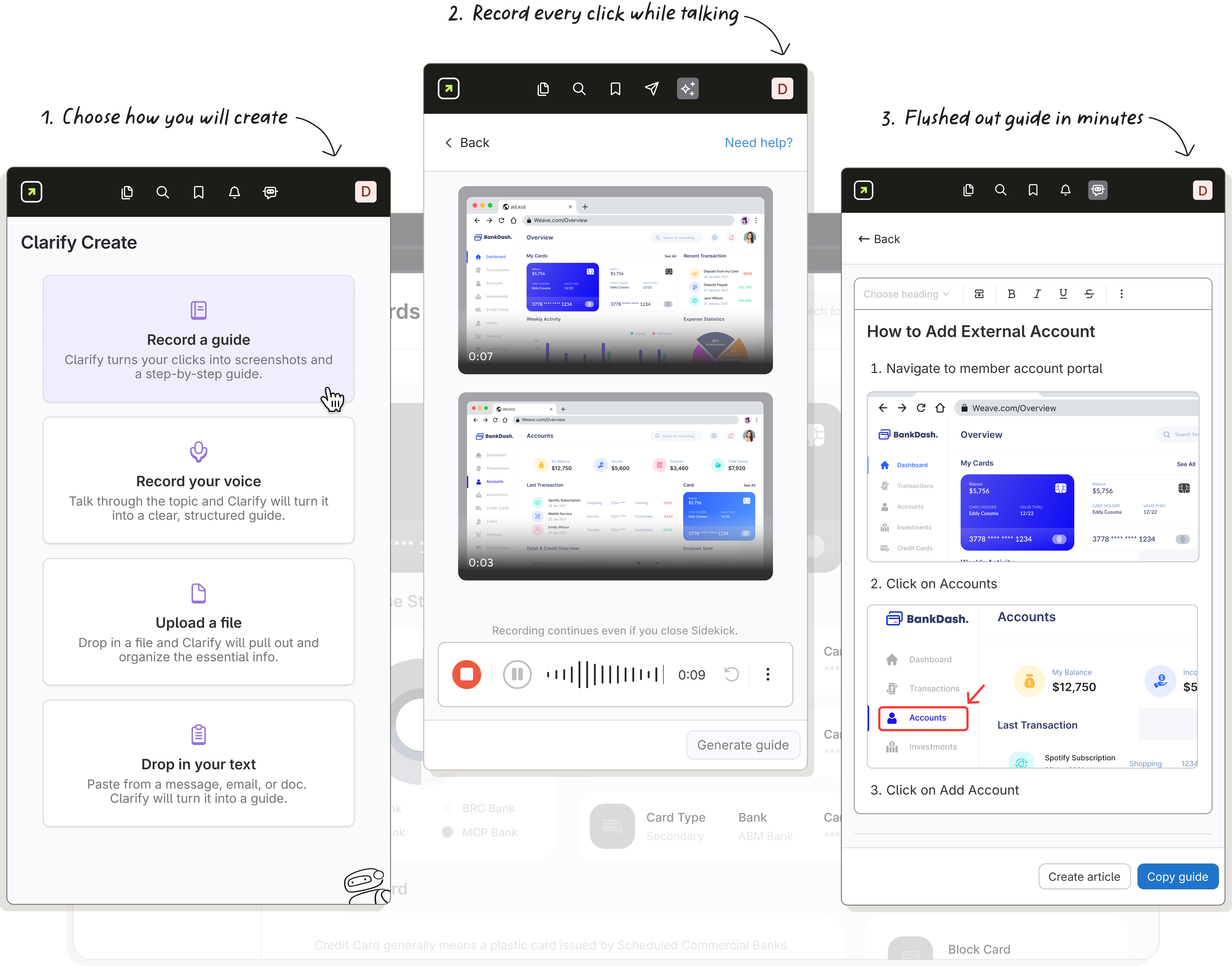
Open up the ScreenSteps Sidekick and hit record. As you perform a workflow, just talk through the procedure as if you're explaining it to a co-worker. As you go, ScreenSteps records your audio explanation and each click.
When you're done, ScreenSteps combines your clicks and audio transcript to automatically generate a clean step-by-step SOP guide that's simple to follow.
ScreenSteps AI doesn't just turn your recording into a transcript with screenshots. It understands the process you're demonstrating, identifies the essential steps, and creates a guide that's optimized for the next person who needs to complete the task.
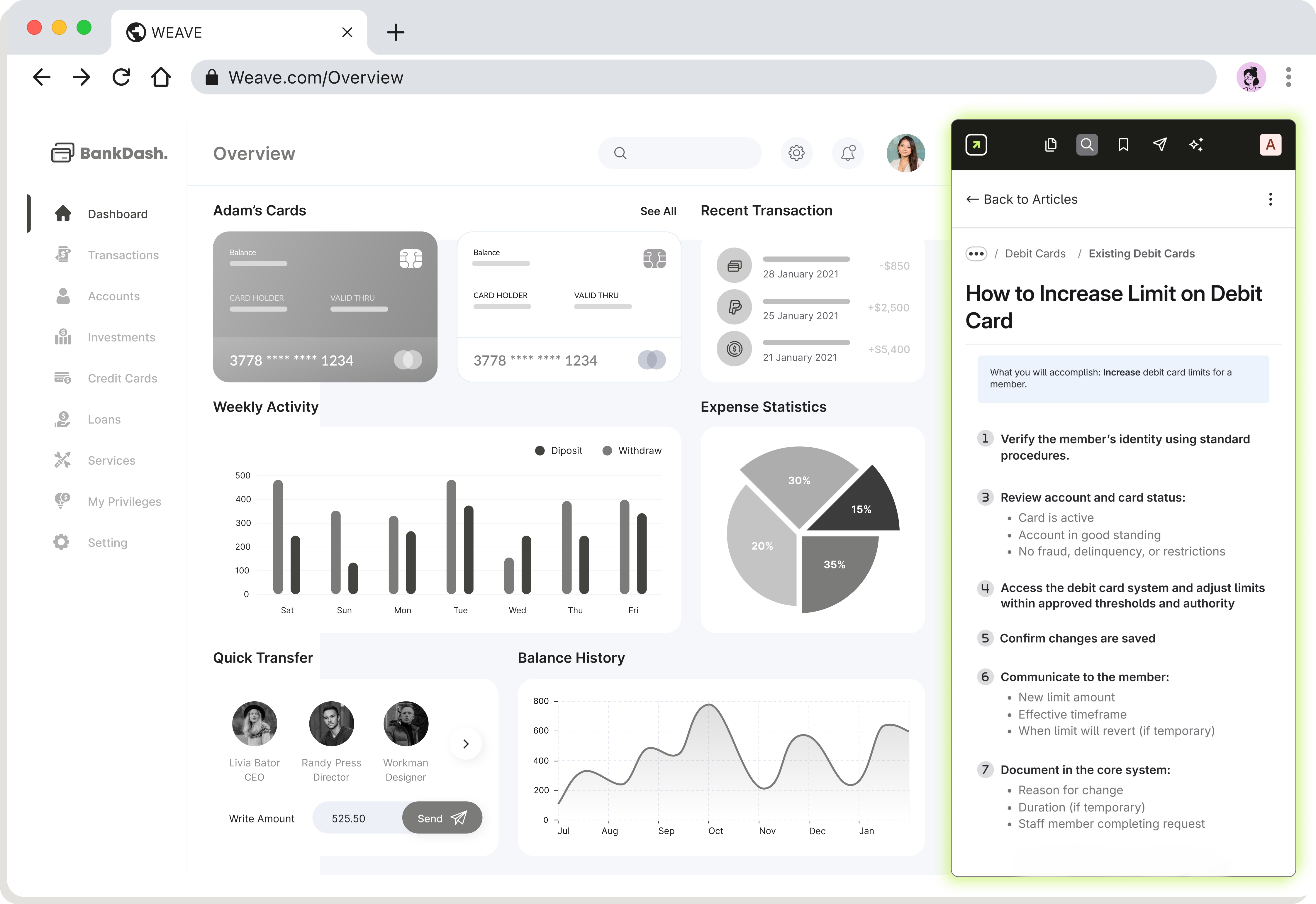
Hit publish, and that guide is instantly available in your ScreenSteps knowledge base, and right inside the web application it was built for.
The next time a coworker is working in the system and needs guidance, they can open the guide you created right next to them and follow those exact steps.
Be a Knowledge Investor
Instead of answering the same question over and over again, it's time to invest your knowledge. Walk through the procedure once and let ScreenSteps build the guide for you. Now, every employee in your company can do the job correctly every time.